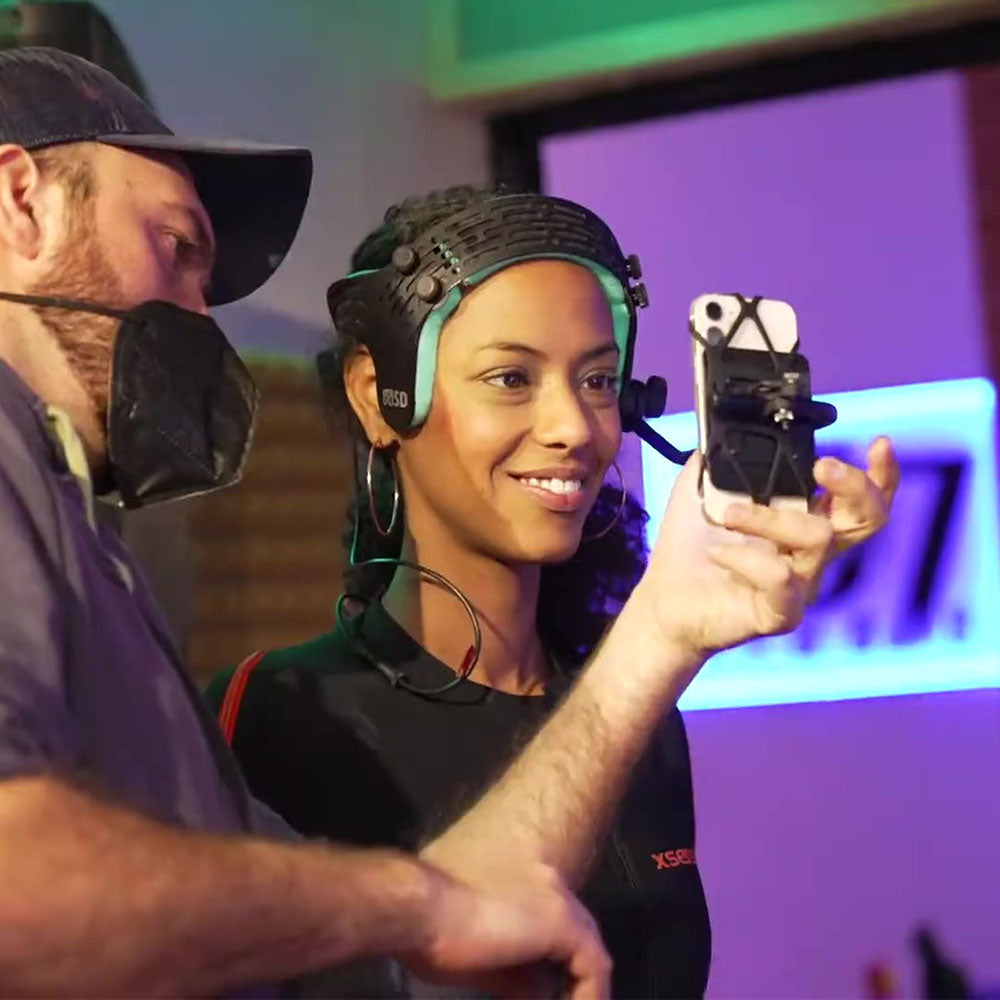
How to Balance a Facial Mocap Helmet (Complete Guide)
This guide shows how to achieve stable, repeatable performance with an iPhone-based setup.
Most facial mocap helmets don’t fail in setup — they fail during the take.
They feel fine when you first put them on. While sitting or standing still, everything seems balanced.
Then you start moving. The helmet shifts. The phone’s camera loses its steady focus on your face. Your neck starts to fatigue as the forward weight pulls against you. Fatigue sets in faster than expected.
You stop capturing and check the takes. The facial data looks a bit off. The recorded head motion doesn’t match what you felt during the performance. What felt natural now looks strained or uneven.
You’re trying to tell a story. But your character’s motion doesn’t reflect what you actually performed.
You realize something isn’t right.
That’s not bad luck. That’s balance.
Why Balance Matters More Than You Think
Balancing a facial mocap helmet isn’t just about comfort. It directly affects:
• Tracking stability (micro-slippage = distorted data)
• Performer endurance (especially in longer sessions)
• Consistency between takes
A helmet that’s slightly off-balance might seem usable at first, but over time it introduces:
• Subtle head compensation
• Unnatural posture
• Drift in performance quality
In short: bad balance doesn’t just feel worse — it captures worse.
The 4 Variables That Actually Control Balance
Most people think mocap helmet balance is just about adding a counterweight. That’s not how it works. There are four variables, and they interact:
1. Phone Weight
Not all iPhones are equal. A larger phone, such as a Pro model, introduces significantly more forward weight than a mini. That added front weight increases the load your neck has to resist throughout a take.

| Model | Weight | Processor | Wi-Fi | Mocap Status |
|---|---|---|---|---|
| iPhone 12 mini | 135g | A14 (3.00GHz) | Wi-Fi 6 | Studio Reference |
| iPhone 13 mini* | 141g | A15 (3.23GHz) | Wi-Fi 6 | Noisy Depth |
| iPhone 16 | 170g | A18 (4.04GHz) | Wi-Fi 7 | Noisy Depth |
| iPhone 14 | 172g | A15 (3.23GHz) | Wi-Fi 6 | Noisy Depth |
| iPhone X | 174g | A11 (2.39GHz) | Wi-Fi 5 | Legacy (7MP) |
| iPhone 15 Pro | 187g | A17 Pro (3.78GHz) | Wi-Fi 6E | Noisy Depth |
| iPhone 11 | 194g | A13 (2.65GHz) | Wi-Fi 6 | Legacy (12MP) |
| iPhone 15 Plus | 201g | A16 (3.46GHz) | Wi-Fi 6 | Noisy Depth |
| iPhone 17 Pro Max | 223g | A19 Pro (4.30GHz) | Wi-Fi 7 | Noisy Depth |
2. Boom Length
Boom length determines how close the camera sits to your face. It allows you to keep the face large and well-framed in the image, which is where facial tracking systems perform most reliably and consistently. On an improperly balanced helmet, even small increases in boom length dramatically increase the tork that that moves the camera away from the face during captures.

• Short boom → tighter, more stable
• Long boom → more pull, more instability
If something feels off, this is often the first place to look.
3. Helmet Fit
If the helmet isn’t stable on your head, nothing else matters. Many facial mocap helmets make limited contact with the skull, or rely on straps to stay in place. Chin straps are uncomfortable and interfere with normal jaw motion. Helmets that rely on fabric or nylon straps tend to shift during capture.

Those small shifts translate directly into inconsistent camera positioning — which shows up as instability in the captured data.
4. Counterweight (Position, Not Just Mass)
Adding weight alone doesn’t solve the problem. What matters is:
• Where the weight sits
• How far back it is
• How it’s angled relative to the head

A poorly positioned counterweight can make a system feel worse, not better. It makes the helmet heavier and more susceptible to inertia, while offering little in return.
Many helmets with counterweights suffer from poor implementation. Adding a fixed weight directly to a helmet has two major limitations:
• It cannot compensate for different phone weights or boom positions
• It does not use leverage — it simply adds mass and increases inertia
Some systems offer multiple fixed weights, but this is still a compromise. It does not provide the adjustability required for proper balance.
Static Balance vs Real-World Stability
You can adjust everything until it feels neutral while standing still. That’s static balance.

But facial mocap isn’t static. You are turning your head, accelerating, stopping, and performing. What matters is dynamic stability — how the system behaves in motion.
A helmet that feels balanced at rest can still become unstable when moving. Once motion begins, inertia takes over — and inertia doesn’t care about your static setup.
If the quality of your work is important, consider FaceCam iPhone HMC — the system designed around all these principles.