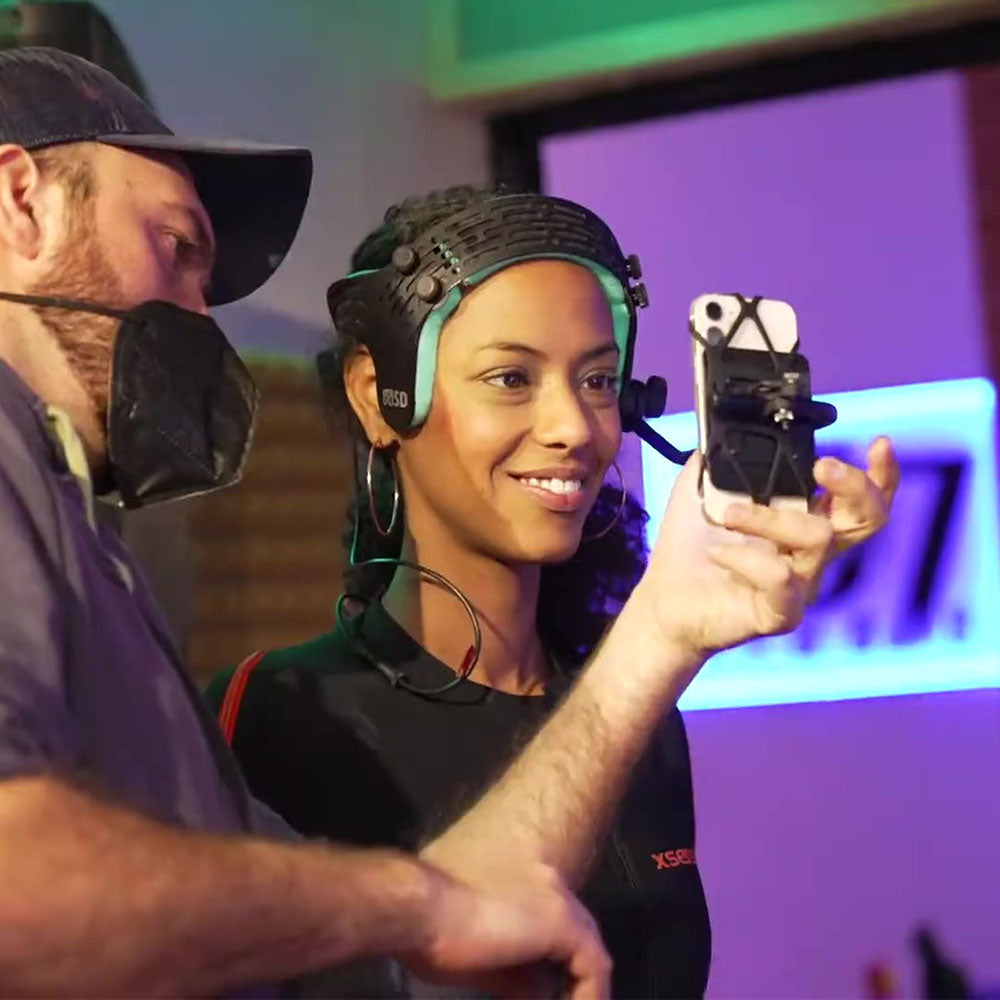
Heatsink Phone Mount Plate for iPhone HMC
When your capture session stops because your phone overheats, everything stops.
Are you using the iPhone 12 to capture facial mocap? Good choice. It has the best TrueDepth sensor system available for MetaHuman Animator (MA) and Live Link Face.
Now you need to keep it running smoothly.
The Problem Our Heatsink Solves
It’s sort of a secret: iPhone 12 is Apple’s best phone for facial motion capture. Its 4-dot TrueDepth projector produces high-density, low-jitter point clouds that result in cleaner MetaHuman Animator solves to provide you with the most accurate facial motion capture.
iPhone 13 and newer models use a 3-dot “Stray” projector, which introduces spatial and temporal jitter. Although fine for Face ID, Snapchat, TikTok, Instagram, and other consumer uses, the Stray projector is far from ideal for high-fidelity facial mocap: its data just isn’t as clean or stable.
iPhone 12 Pro: data as point cloud, object about 25cm from phone

iPhone 13 Pro: data as point cloud, same setup. (Notice the the noisier, bumpier, and less accurate depth data, especially the area highlighted in red.)

Although iPhone 12 (especially 12 mini) remains the preferred TrueDepth capture device, it has a weakness.
Under sustained load—video capture, Live Link Face, MetaHuman Animator—the phone heats up. The workload doesn’t change—but the smaller phone runs out of thermal headroom faster.
When an iPhone overheats during a session, capture can throttle, stutter, freeze up, or fail outright. Its performance drops, and you end up having to stop, deal with it, then recapture.
In mocap, that’s a big problem. You lose motion detail—or your actor’s perfect performance—and your workflow grinds to a halt.
What Happens When Things Get Too Hot?
When an iPhone overheats during a session, capture can throttle, stutter, freeze up, or fail outright. The data might lose nuance or be wholly unusable, forcing you to stop, reset, and repeat takes.
Even if you have a second phone ready, swapping devices interrupts flow and slows down the session.
External cooling solutions exist—ceramic MagSafe coolers, for example—but they’re not well suited to helmet-mounted use:
- Bulky
- Noisy
- Heavy
- Difficult to use with helmets
- Liable to cause condensation in phones
They can also overcool the device, introducing risks like condensation and thermal stress.
Off-helmet, they can be useful. On-helmet, they introduce more problems than they solve.
And repeated overheating isn’t just a session issue—it degrades battery life.
What Our Heatsink Does
Our heatsink phone mount plate passively pulls heat away from the phone during operation.
No fans. No noise. No bulk.
Just better thermal behavior under sustained load.
It weighs about the same as our standard sticky-back mounting plate, so it doesn’t introduce additional balance issues.
When You Actually Need It (and When You Don’t)
| iPhone Model | Chipset (Thermal Mass) | TrueDepth Quality | Thermal Threat: ARKit | Thermal Threat: MA | The Case for the Heat Sink |
|---|---|---|---|---|---|
| X / XS | A11 / A12 (Low) | High (7MP / 4-dot) | High | Critical | The “OG”: Older chips run hot even handling the OS. MetaHuman Animator (MA) is difficult to run without cooling to prevent crashes. |
| 11 / 11 Pro | A13 (Medium) | High (12MP / 4-dot) | Medium | High | The Workhorse: Solid overall, but A13 struggles with the storage write speeds MA requires. Cooling stabilizes data rate. |
| 12 mini | A14 (Very Low) | Elite (12MP / 4-dot) | High | CRITICAL | The Primary Target: Best-in-class sensor in a tiny body. Minimal surface area means it must have cooling to sustain 60fps in MA. |
| 12 / 12 Pro | A14 (Medium) | Elite (12MP / 4-dot) | Low | High | The Pro Standard: Handles ARKit well, but MA can still trigger dimming and frame drops without external cooling. |
| 13 / 14 / 15 | A15 / A16 / A17 (Med–High) | Lower (12MP / 3-dot) | Very Low | Medium | Efficiency vs. Fidelity: Newer chips run cooler, but 3-dot sensors produce less stable data. Cooling helps during 4K capture. |
Note: Older 4-dot TrueDepth systems (iPhone X–12) produce more stable depth data for than newer 3-dot systems. Cooling helps maintain consistency during long captures.
For short captures or lighter workloads, you may not need additional cooling—especially with larger iPhones that have more mass.
Thermal buildup becomes a real constraint during:
- Longer capture sessions
- Live performance
- MetaHuman Animator workflows
- Extended streaming (VTubing)
That’s where our heatsink mount makes a difference.
iPhone 12 mini users, in particular, will see the most benefit due to the phone’s smaller size and lower mass.
Tradeoffs and Practical Notes
Our standard sticky-back mounting plate is more convenient for quick swaps. The adhesive pad can be rinsed and reused.
The heatsink mount uses thermal tape instead. We include a long roll, enough for more than 150 uses. Replacements are inexpensive and easy to source.
Important setup note
Cases trap heat and significantly increase the likelihood of overheating. Be sure to remove your phone from its case before attaching to the heatsink mount, otherwise the case will prevent heat transfer.
All FaceCams include a stretchy retention strap to keep your phone secure during use—whether you’re using the standard mount or the heatsink version.
Pricing
The heatsink mount is $75 USD.
Ships free when ordered with FaceCam.